My Grok Bot Knows What Is in Every Tote
By John Sambrook · · AI, Practical Tips
TL;DR
I am moving everything out of a paid storage unit and into my home. A Grok Bot named Totes keeps the inventory. When I am standing in front of a stack of totes, I take a picture with my phone, tell Totes what is inside, and the record updates. It tells me when something is only “last recorded” somewhere and has not been checked. Most of my bots help run my business. This one helps run my house.
The problem every garage and storage unit has
I have been paying about $400 a month for a storage unit. Inside are dozens of plastic Home Depot totes, 27-gallon and 17-gallon, plus small bins, shoeboxes, a toolbox, and the loose things that never fit in anything.
I did keep a spreadsheet. The last version is dated November 3, 2025. It lists 268 items in 89 containers: 79 totes, 7 small bins, 2 shoeboxes, and 1 toolbox. Like most spreadsheets of this kind, it has been drifting since the day I wrote it.
Now I am moving all of it into the finished crawlspace at my house, so I can stop paying for the unit. That is a good moment to find out what I actually own, and to decide what to keep.
Meet Totes
Totes is a Grok Bot whose only job is my home inventory. It answers the question I ask most often, “where is my …?” It records what goes into or comes out of a tote, tracks moves from one location to another, and keeps track of the different kinds of totes I use.
Behind it is a private database that only Totes uses. It holds locations, which can nest (a house, and the crawlspace inside it), containers, tote types, categories, items, and photos. It also holds an activity log. Every change Totes makes is logged with what changed, when, and where the information came from, such as “John chat + photo.”
The part I love: my phone
I can reach Totes, and all my other bots, from my cell phone. So the inventory happens where the totes are, not later at a desk.
Here is the first real update, from October 25. I was in the crawlspace. I took one photo, sent it to Totes, and added a few words about what was inside. From that, Totes recorded four totes as moved into the crawlspace, each with a short summary:
- Tote G, a 17-gallon bin with blue tape on it, holds nuts, bolts, and small hardware in plastic bags.
- Totes H1, E1, and L1 hold Theory of Constraints books.
Those three totes of TOC books are now tagged sell-or-donate. If you know my work, the books will not surprise you. It is time for someone else to get some use from them.
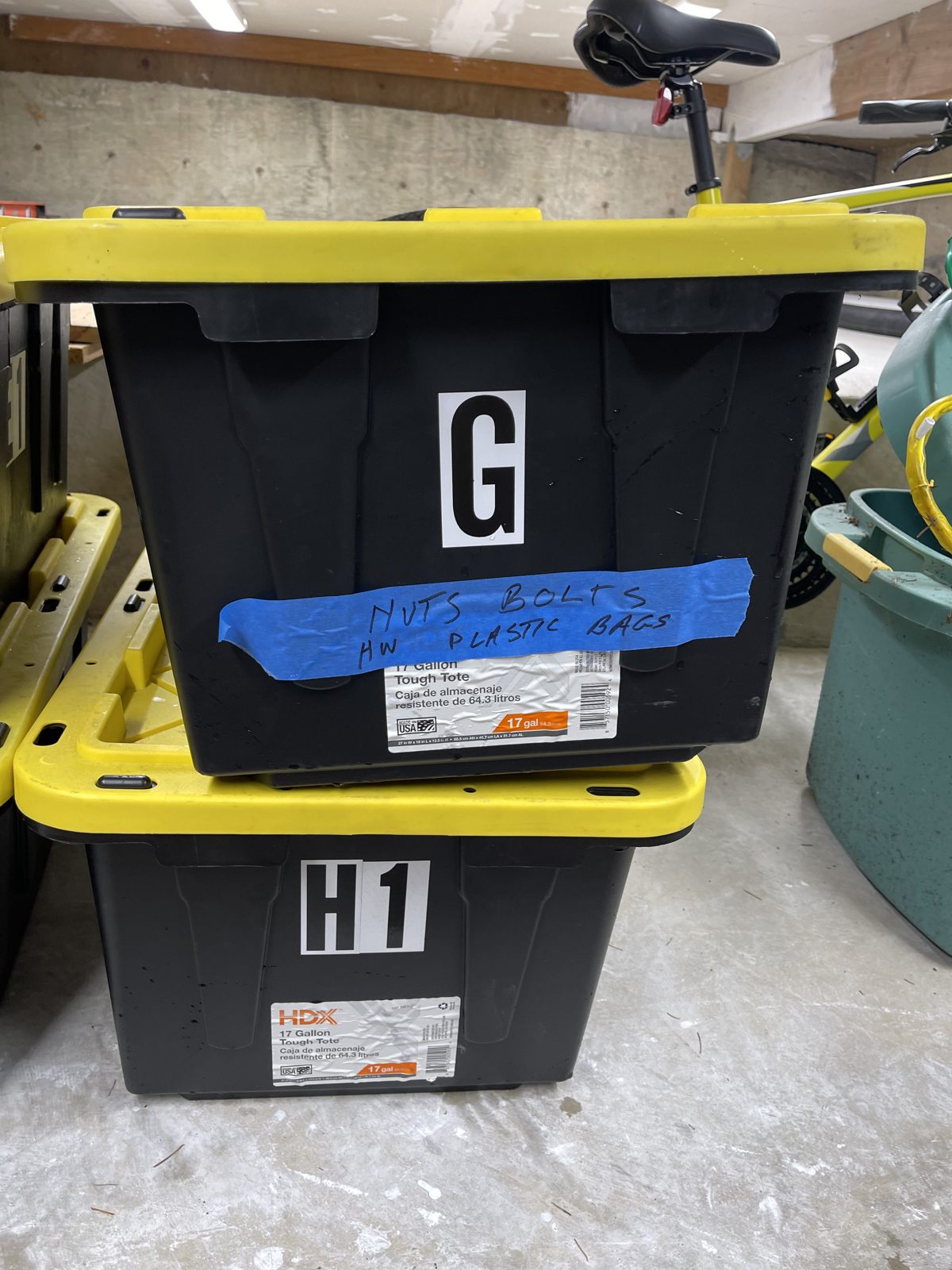
That is one photo and four totes so far, a small start. It is also how this should work: no laptop, no hunting for the spreadsheet, and a record of when and how each change happened.
Honest about what it does not know
The feature I appreciate most as an engineer is that Totes does not pretend.
Everything imported from the old spreadsheet starts out marked “unverified.” When I ask where something is and the only evidence is the old sheet, Totes says so, in words like “last recorded in Tote 14, not checked yet.” Once I have looked inside a tote, it gets a “last inventoried” date.
Items are marked present, missing, or removed. Nothing is deleted, so the history stays. If I give something away, I can still see that I once had it and where it went.
Right now 17 loose items are flagged “needs to be found,” things like coax cables, boots, coolers, and skis. Every household has a list like that. Mine is written down.
Successive refinement
I am not cataloging every screw on day one. Totes works in passes.
First, each tote gets a one-line summary and a tag: keep, sell, donate, sell-or-donate, discard, or undecided. Later, we go item by item. So far four totes have their summary. No individual items have been checked yet. That is fine. A rough, honest picture of all 89 containers is more useful than a perfect picture of three.
What comes next
These are next steps, not things that are done:
- Summarize the remaining 85 containers.
- Go item by item through the totes.
- Find the 17 loose items.
- Tag items to sell. Selling on Facebook Marketplace is a plan. Nothing is listed yet, and Totes is not connected to it.
The same system can also keep track of where my important personal documents are, such as my passport and my will, along with other personal effects. I have not set that up in Totes yet, but it is the same idea: one place to ask “where is it?” and get a straight answer. (It can also keep track of a spouse’s or a family member’s things, with their OK.)
Another use for the same technology
I started using Grok Bot for business work. Totes shows the same tool fits ordinary life. Give a bot one clear job, give it a place to keep its records, and make it tell you how sure it is.
If you have a pile of totes, a storage unit, or a business with inventory that only lives in someone’s head, I am happy to talk about how a bot like this could help. Write to me at john@common-sense.com.