Your UX Spend Is Wasted on Me
My agent is my user interface. If your product wants my business, give my agent an API it can read and use in the next five minutes. Keep the screens.
TL;DR
I work all day inside AI agents. I talk to them, type to them, paste screenshots and PDFs to them, and drive them from a Stream Deck. Every vendor that asks me to leave that flow for their custom interface is asking me to learn something I do not want to know. If you sell software, the product I will actually buy is your API. The screens are your cost, not my benefit.
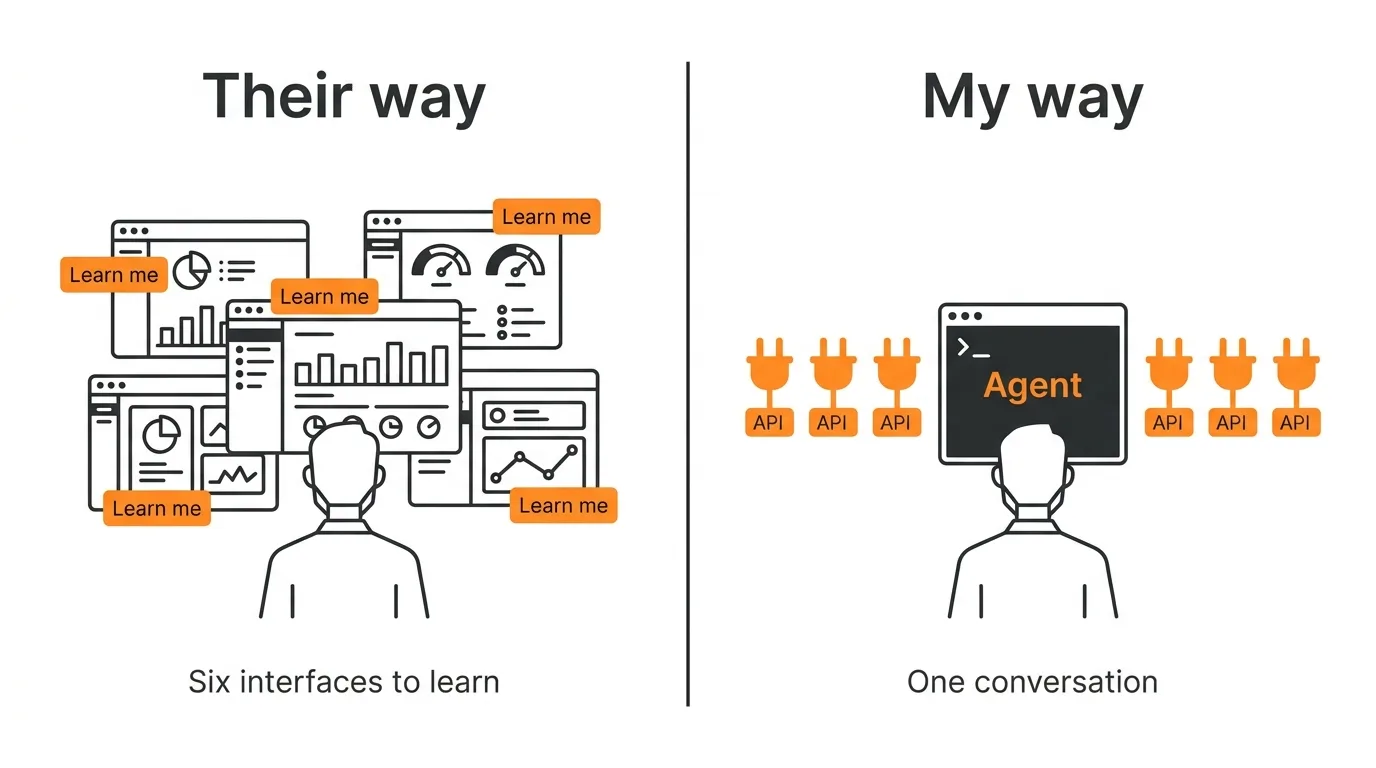
Here is a normal morning. I am at my desk with a coffee. I tell my agent to check overnight email and calendar, draft two replies, and post the invoice for last week’s work. It does those things. I read the results, correct one, and move on. At no point do I open a browser tab, find a login, remember which menu the invoice button moved to this quarter, or wait for a dashboard to load.
That is the whole pitch. The rest of this post is about what it means for the people who build the products I pay for.
The interface I already have
I invest the working day in a few different agents: Grok Build, Codex, and Claude Code. Sometimes I talk to them, sometimes I type, sometimes I paste in a screenshot, a PDF, or a photo, and often I fire off a whole task from one button on an Elgato Stream Deck. The conversation is the interface. The agents know my business, my clients, my files, and my preferences, and they get a little better at all of that each week.
So when a vendor hands me a beautifully designed web app, here is what they are really handing me: a second interface, with its own vocabulary, its own navigation, its own idea of how my work should be organized, and its own redesign schedule. The design team put months into it. The cost to me is not the months. The cost to me is that I now have to learn it, and keep relearning it, to get at something I could have asked for in one sentence.
There is a second cost, and it is worse. A clever interface cannot be automated. I can point an agent at a web app and ask it to click through the menus on my behalf, and it will try, slowly, and break the next time a button moves. Nobody should call that a solution. It is torture, for the agent and for me.
I have been on the losing end of that bargain for a long time. For 28 years I paid for QuickBooks and never got fluent in it. I did not use it enough to build the muscle memory, and the interface changed often enough that whatever I had learned was gone within a couple of years. In late 2025 I replaced it with an open-source ledger and my agent. The ledger is a text file in a Git repo. When I need to invoice a client, the agent produces the PDF, emails it, and records the entry. I knew inside twenty minutes that it was going to work, and it has. The only interface is the one I already had.
That post was about cost. This one is about attention. Even at zero dollars a month I would not go back to a product that made me learn its screens.
What “right” looks like
Marc Benioff put it in one line on LinkedIn in May, announcing that Salesforce, Agentforce, and Slack are now exposed as APIs, MCP, and CLI: “Our API is the UI.” When the largest SaaS company on the planet says the browser is optional, the rest of the industry should take the hint.
From where I sit, “right” is specific.
My agent has to be able to read about your product immediately. That means a machine-readable description at a predictable address: an OpenAPI spec, an MCP server, an llms.txt, a CLI with real help text. If the only way to learn your product is to click through it, my agent cannot learn it, and neither will I.
My agent has to be able to use your product immediately. That means authentication it can complete without me clicking through a dashboard, and it means every operation is available through the API. “Available in the web app only” is a phrase I now read as “not available.”
And your product has to stay out of the way. I do not want notifications, onboarding tours, or a new navigation scheme in the spring release. I want the contract to hold so the agent’s knowledge of it keeps working.
That is a shorter list than a UX roadmap. It is also cheaper.
I have put my own money where my mouth is. Go look at common-sense.com. It has an API written for agents: an llms.txt at the root, an OpenAPI document, an MCP pointer at /.well-known/mcp.json, and a /v1 service at api.common-sense.com that an agent can read, quote from, and buy through without a human in the loop. Then run a test. Ask Gemini, or any strong model that can actually read web pages, “Is common-sense.com a website that is friendly to AI agents and well prepared to deal with them?” Read the answer. Then ask the same question about any other website you do business with. The gap is the point of this post.
An API-only product is a complete product
The objection I hear is that people need to see things. Charts, timelines, status. Surely that needs a screen.
I have a test case. I am interested in Theory of Constraints project management, including a method called Critical Chain (CCPM) that almost nobody outside the field has heard of. Given a description of the method and some evenings, I built a working multi-project Critical Chain scheduler that runs on my own infrastructure. Some corners are not finished yet. But nothing except my willingness to burn tokens stands between it and any commercial multi-project CCPM tool I know of.
It has no user interface at all. It has an API. When I want a Gantt chart or a fever chart, I ask, and I get one drawn from live data. The picture is an output, produced on demand, in the format I asked for. It is not a screen I have to live in.
That is the distinction vendors keep missing. I still want to see things. I do not want to learn where you decided to put them.
This is not only a power-user complaint
My partner is not a software person and has never typed a prompt to a coding agent. She tries to use modern web apps on her iPhone and it makes her furious. Tiny targets, layouts that shift, a login wall, a cookie banner, then a redesign that moves everything again. None of that is her failing. The interfaces are simply not worth learning for the amount she uses them.
Give her the ability to talk to the phone, ask for what she needs, and read or listen to the answer. She would take that today. She does not need your UX. She needs your API, behind an agent that already knows how to talk to her.
Websites are going the same way. Not this year, and probably not in five. But the direction is set, and I am glad of it.
Where the money should go
If you are a vendor, here is the argument in one paragraph. A growing share of your customers will never look at your screens. They will reach you through an agent that reads your spec, authenticates, calls your endpoints, and renders whatever the customer asked to see. For those customers, every dollar in the UX budget is invisible. The dollar that matters is the one that makes your product readable and usable by an agent in the next five minutes. Spend it there.
I could be wrong about the timing. I am not wrong about the direction. Salesforce just said the same thing with a much larger budget.
If you build software and are trying to work out what “agent-ready” should mean for your product, or you run a small business and want to know which of your tools could already be driven this way, I am happy to think it through with you. You can reach me at john@common-sense.com.