My Registered Agent Charged $400 to File a $70 Form. I Fired Them This Morning.
Becoming my own registered agent and using Claude Code to manage the paperwork saved money, but the real win is owning my business records in a system I control and can search.
TL;DR
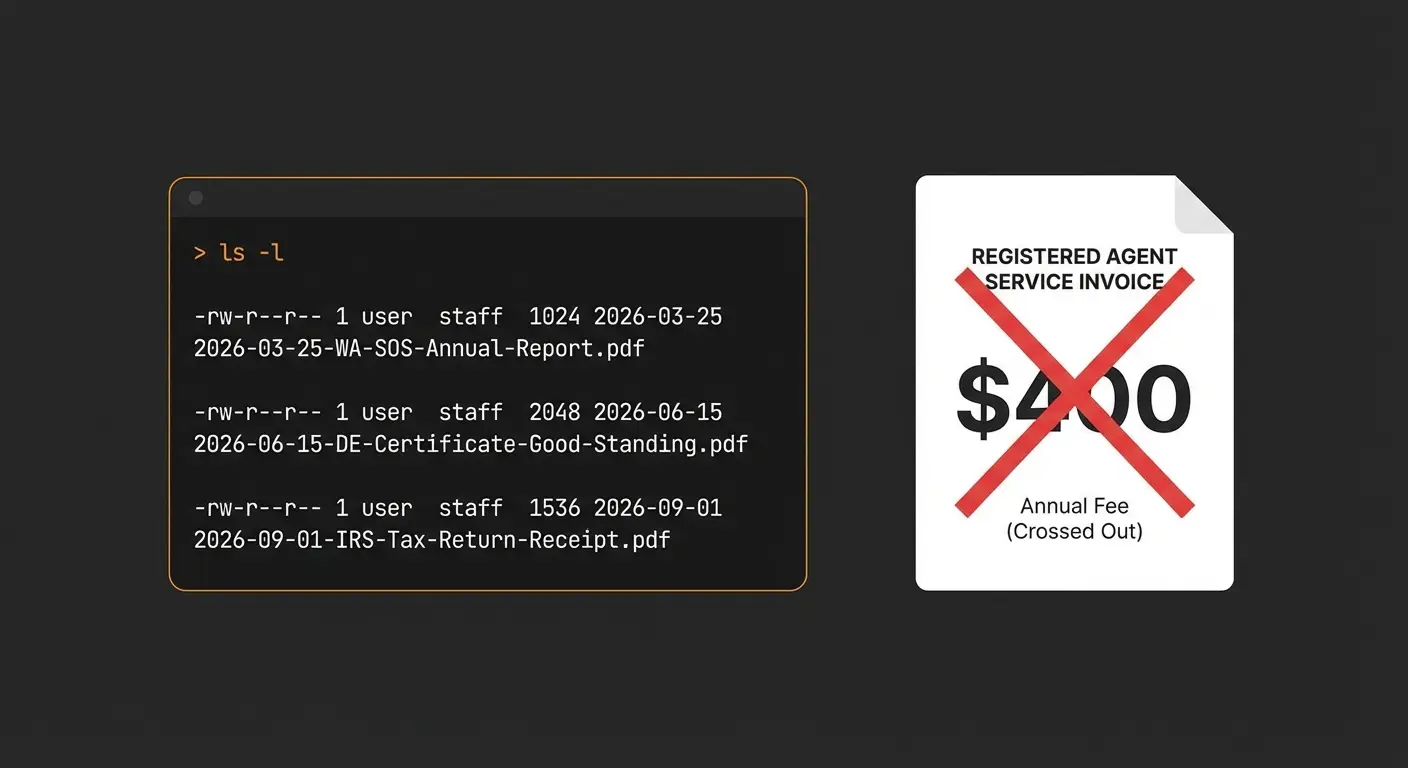
I became my own registered agent this morning, filed my Washington State annual report myself, and used Claude Code to download the confirmation documents from Gmail, rename them, file them in my business records repo, and log the whole transaction. Forty-five minutes, $70 in state fees instead of $400 to my attorney. The money is nice, but the real win is a business records system I own and understand completely.
This morning I sat down to deal with something I have been putting off: filing the annual report for my S-corporation with the Washington Secretary of State. Every year for the past twenty-plus years, my attorney’s office has handled this. They are my registered agent, meaning they receive legal documents on my behalf and handle the state filings. This year the bill was $400.
The actual state fee, as I discovered, is $70.
I do not have any complaints about my attorney. They have served me well for two decades. But $330 in markup on a form submission is the kind of cost that stops being invisible once you start looking at what things actually cost versus what you are paying.
What I Did This Morning
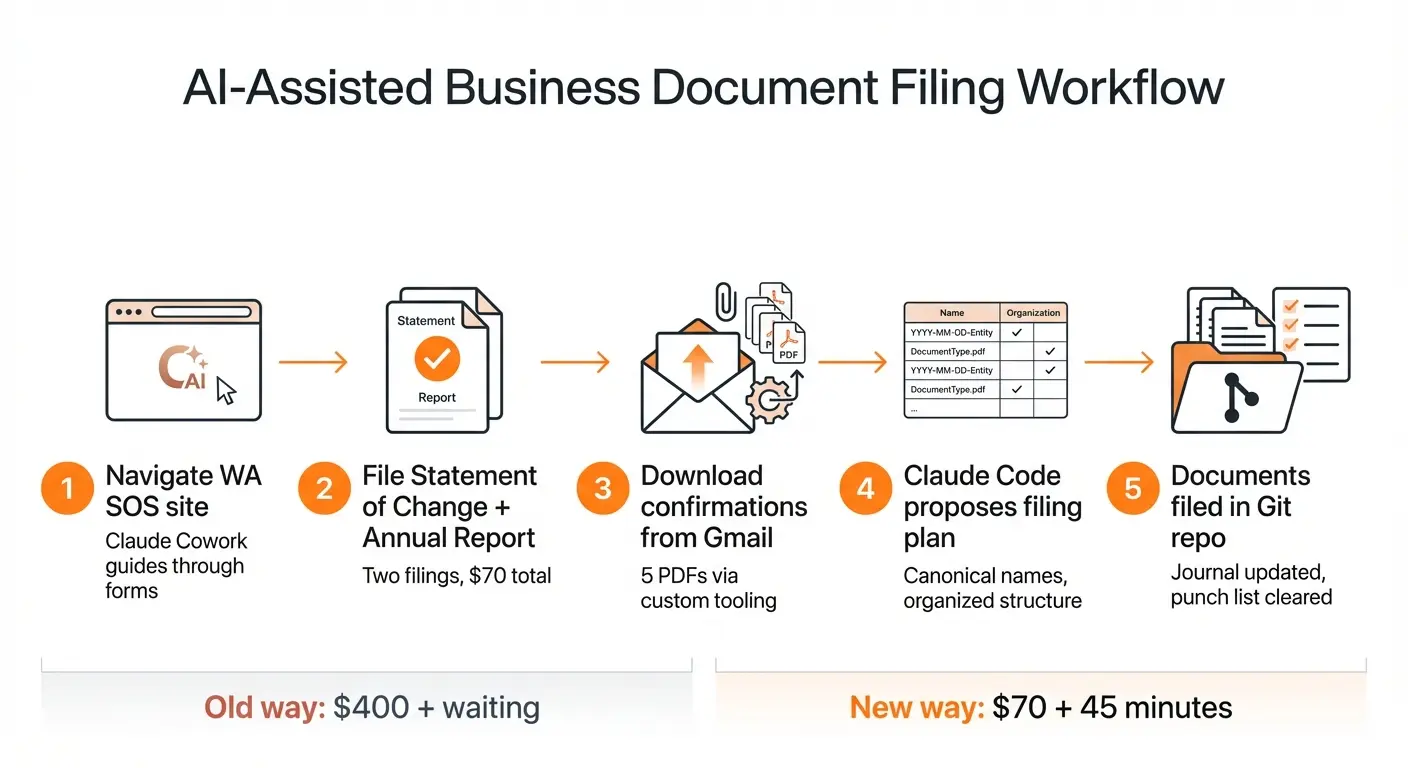
I used Claude desktop’s Cowork pane to walk me through the process on the Secretary of State website. This is a pattern I have gotten into: I drag a screenshot of whatever I am looking at into Claude and ask what to do next. The SOS site is not badly designed, but there were several points where the terminology was ambiguous. At one point I hit a choice between two categories of user, and neither description clearly applied to me. I stared at it for a couple of minutes, then sent Claude the screenshot. Clear answer, immediately. That happened more than once during the process.
I filed two things: a Statement of Change to make myself the registered agent (replacing my attorney’s firm, Bates & Ely), and the annual report itself. Both went through without issues. Total state fees: $70. Total time including the Claude-assisted navigation: about 45 minutes.
The Part That Matters More Than the $330
After I submitted both filings, the Secretary of State sent a flurry of emails to my Gmail: confirmation letters, the annual report itself, a payment receipt, a Statement of Change confirmation. Five PDF attachments across three emails.
This is where the system I have been building over the past several months earns its keep.
I keep my business records in a Git repository. Not some of them. All of the ones I can manage: Washington State filings, IRS documents, City of Kirkland business license records, accounting ledgers (in Beancount), bank statements, credit card statements, receipts. Claude Code works with this repo according to a schema that defines where everything goes and how files should be named. When I need to file a document, I drop it into a folder called To-Be-Filed and tell Claude there is something new. Claude reads the document, figures out what it is, and files it with a canonical name that makes sense even in a raw directory listing.
For the Secretary of State documents, I did not even need the drop folder. I told Claude Code to pull the PDF attachments from the Gmail messages and file them. I have my own Gmail tooling that Claude Code can use to download attachments, which the standard Gmail MCP cannot do. A few sentences of instruction, and Claude downloaded all five PDFs, identified each one, proposed a filing plan with canonical names, detected that one attachment was a duplicate of a file I had already downloaded manually, flagged it, and asked me to confirm before proceeding.
Here is what that filing plan looked like:
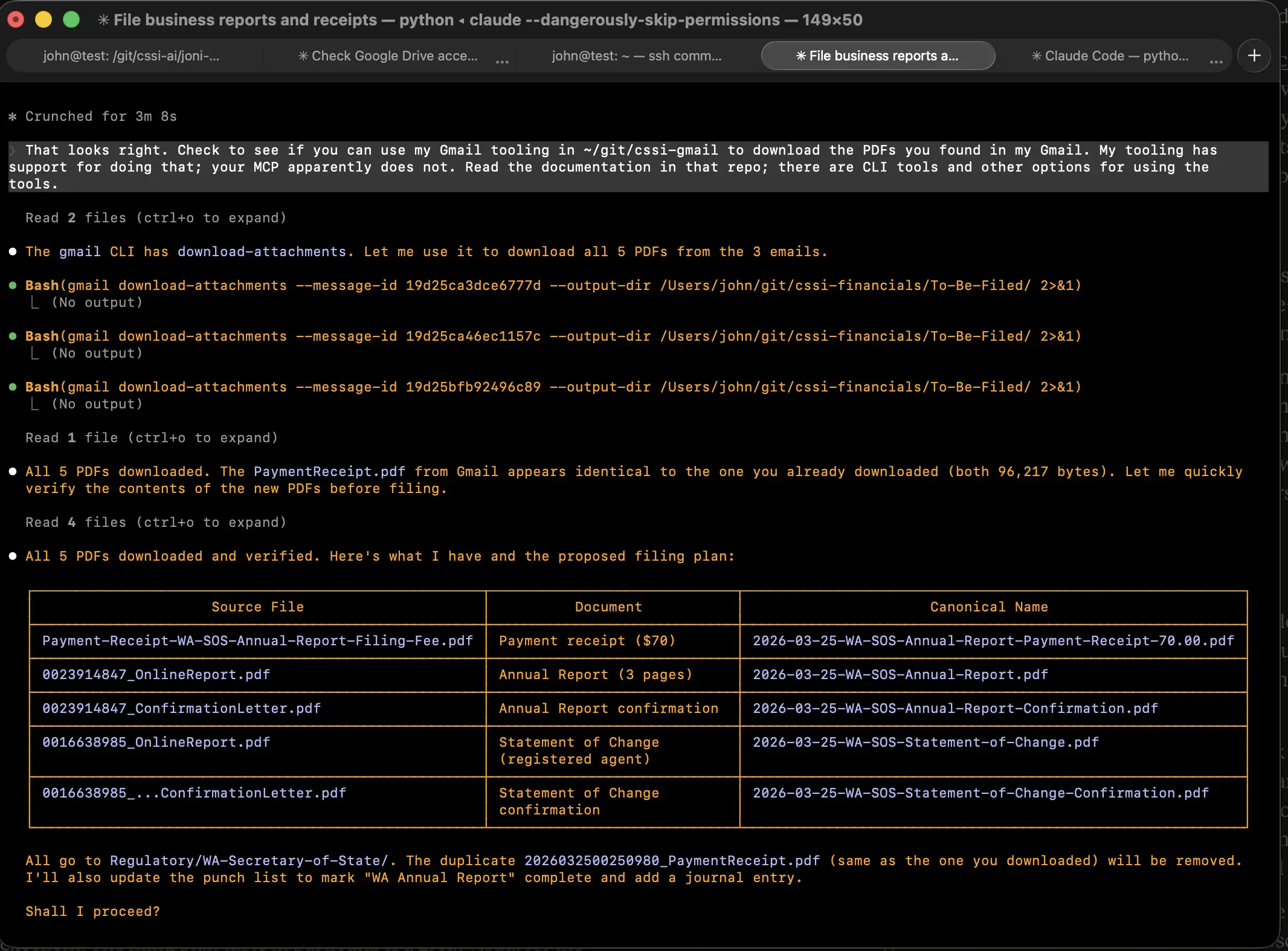
| Source File | Document | Canonical Name |
|---|---|---|
| Payment-Receipt-WA-SOS-Annual-Report-Filing-Fee.pdf | Payment receipt ($70) | 2026-03-25-WA-SOS-Annual-Report-Payment-Receipt-70.00.pdf |
| 0023914847_OnlineReport.pdf | Annual Report (3 pages) | 2026-03-25-WA-SOS-Annual-Report.pdf |
| 0023914847_ConfirmationLetter.pdf | Annual Report confirmation | 2026-03-25-WA-SOS-Annual-Report-Confirmation.pdf |
| 0016638985_OnlineReport.pdf | Statement of Change (registered agent) | 2026-03-25-WA-SOS-Statement-of-Change.pdf |
| 0016638985_…ConfirmationLetter.pdf | Statement of Change confirmation | 2026-03-25-WA-SOS-Statement-of-Change-Confirmation.pdf |

All five documents went into Regulatory/WA-Secretary-of-State/ in my repo. Claude also updated my journal file with an entry documenting the transaction and moved “WA Annual Report” from pending to completed on my punch list.
That journal is worth mentioning. Every significant transaction I do with Claude Code gets logged. If I ever need to answer “Did I file this report? When? Where is it?” the answer is in the journal. If I am ever audited, I will have better documentation of what happened and when than most businesses ten times my size. That is a good feeling.
What I Actually Like About This
It is not really the $330. That is a nice number, and it adds up over years, but the money is secondary.
What I like is that I understand my own business records now. I know where everything is. I know what the naming convention is. I know what I filed last year and the year before. I am not dependent on someone else’s filing system, someone else’s timeline, or someone else’s priorities.
When my attorney’s office had my minute book, I would occasionally need something from it and have to call and wait. Now it is in a repo on my machine, version-controlled, searchable, and backed up. When the Secretary of State sends me documents, they are filed within minutes, not whenever it fits someone else’s schedule.
This is the same pattern I described when I replaced QuickBooks and when I started canceling SaaS subscriptions. Each individual change saves some money. But the cumulative effect is something different: I am running my business on systems I built, I understand, and I control. The records are mine in formats I can read. The processes run on my schedule. When something needs to change, I describe the change and it happens.
This Extends Beyond Business
I have started doing the same thing with personal records. Insurance policies, property documents, medical records. The same repo-plus-Claude-Code pattern works for anything that involves documents that matter and that you might need to find later.
There is a practical reason to do this that goes beyond convenience. Someday, someone else will need to make sense of my records. An executor, a family member, a professional advisor. A well-organized, clearly named, searchable archive with a journal documenting what happened and when is a genuine gift to the people who come after you. It is also, frankly, a gift to your future self. I have wasted more hours than I want to admit searching for documents I knew I had but could not find.
The Broader Point
If you are a small business owner paying a few hundred dollars a year for someone to submit a form on your behalf, it is worth asking: what would it take to do this myself? The answer used to be “more hassle than it’s worth.” That is increasingly not the answer anymore.
Claude Code is not magic. I still had to sit down and work through the SOS website. I still had to read the confirmation emails. I still had to review and approve the filing plan before Claude executed it. But the work that used to justify outsourcing, the tedious parts like navigating ambiguous government websites, downloading attachments, renaming files, maintaining an organized filing system, keeping a log, all of that is handled by the AI.
I pay Anthropic $100 a month for Claude Pro with Claude Code access. The $330 I saved this morning covers more than three months of that subscription. And I use Claude Code for everything else too: accounting, invoicing, code, writing, analysis.
The math has changed. For a lot of small business administration, the cost of doing it yourself with AI assistance is now lower than the cost of paying someone else to do it for you. Not theoretically. Right now, this morning, on my actual business.
If you are looking at your own service providers and vendor relationships and wondering whether the switching cost is still what you think it is, I would be happy to think through it with you. Reach me at john@common-sense.com.